


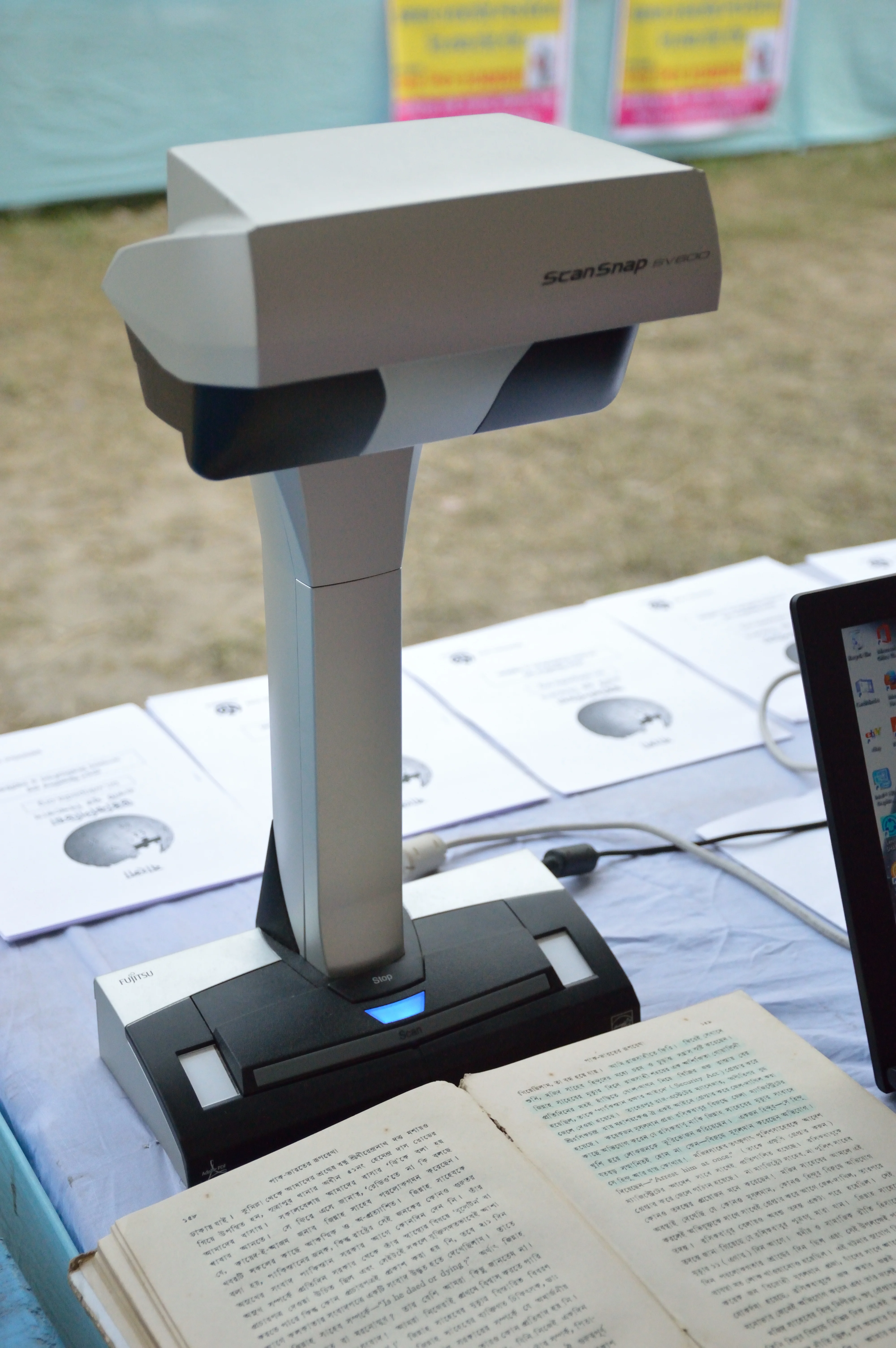
In brief:
- The best document scanning services fall into three categories in 2026: free mobile apps (Adobe Scan, Microsoft Lens, Google Drive), desktop software (ABBYY FineReader, Adobe Acrobat), and business DMS solutions (Zeendoc, Iron Mountain).
- Adobe Scan is the most complete mobile app for individual use, with built-in OCR, perspective correction, and free PDF export.
- For SMEs, DMS solutions like Zeendoc (from around €150/month) offer secure storage, full-text search, and GDPR compliance on European territory.
- Professional bulk scanning (historical paper archives) is handled by specialised providers such as Iron Mountain or Numen, with pricing calculated by volume.
Comparison of the best document scanning services
| Service | Type | Price | OCR | Export formats | Best for |
|---|---|---|---|---|---|
| Adobe Scan | Mobile app | Free | Yes | PDF, JPEG | Versatile personal use |
| Microsoft Lens | Mobile app | Free | Yes | PDF, Word, PowerPoint | Office 365 integration |
| Google Drive scan | Mobile app | Free | Yes | Google Workspace users | |
| CamScanner Pro | Mobile app | €4.99/month | Yes (advanced) | PDF, Word | High mobile volume |
| ABBYY FineReader | Software | €69/year | Yes (advanced) | All formats | Precision professional OCR |
| Adobe Acrobat | SaaS/software | €23.99/month | Yes | All formats | Adobe ecosystem |
| Zeendoc | Cloud DMS | ~€150/month | Yes | All formats | SMEs, GDPR compliance |
| Iron Mountain | Pro service | On quote | N/A | All formats | Bulk archiving |
| Numen | Pro service | On quote | Optional | All formats | Historical archives |
Document scanning: definition and issues in 2026
Document scanning refers to the process of converting a physical document (contract, invoice, archive, form) into a usable digital file. It covers two distinct levels: simple image scanning (scan to PDF or JPG) and scanning with character recognition (OCR), which makes the document content indexable and editable.
In 2026, scanning has become a legal and organisational necessity for many businesses. In France, the Essoc law of 2018 allows the destruction of paper originals after scanning under strict conditions, and the decree of 24 December 2022 extended the e-invoicing obligation for VAT-registered businesses.
Why scan documents?
- Reduction in physical storage costs: one linear metre of archives represents approximately 2,000 documents and costs between €15 and €40/year in storage.
- Instant access and search: a document scanned with OCR can be found in seconds via full-text search.
- Security and backup: the risk of loss from disaster (fire, flood) is eliminated through digital duplication.
- Regulatory compliance: certain sectors (banking, insurance, healthcare) have legal obligations for the digital retention of documents.
Adobe Scan and Microsoft Lens: the best free mobile apps
Adobe Scan
Adobe Scan is the most complete mobile scanning app available free of charge on iOS and Android. It features automatic perspective correction, document edge detection, real-time OCR, and direct export to Adobe Acrobat. Scanned documents are stored in Adobe Document Cloud and accessible from all devices.
The app is completely free for standard individual use. Advanced features (PDF editing, electronic signature, collaboration) require an Adobe Acrobat subscription (€23.99/month).
Microsoft Lens
Microsoft Lens stands out through its native integration with the Microsoft 365 suite. A scanned document can be exported directly as a PDF, Word document, PowerPoint presentation, or OneNote note. The app also offers a whiteboard mode for scanning presentations and diagrams. Microsoft Lens is free and available on iOS, Android, and Windows.
For Microsoft 365 users, this is the most coherent option in terms of digital ecosystem.
Google Drive scan
The scan function of the Google Drive app allows a document to be scanned directly as a PDF with built-in OCR. The file is automatically saved to Google Drive, facilitating sharing and collaboration. This solution is particularly suited to Google Workspace users.
CamScanner Pro and advanced mobile apps
CamScanner is one of the most downloaded mobile scanning apps in the world, with over 500 million installations. The free version is limited (watermarks on exports, restricted storage). The Pro version, available at €4.99/month or €35/year, removes limitations and adds batch processing features, advanced OCR, and electronic signature.
CamScanner is particularly suited to mobile professionals (sales representatives, consultants) who regularly scan large numbers of documents from their smartphone.
ABBYY FineReader and Adobe Acrobat: professional desktop solutions
ABBYY FineReader
ABBYY FineReader is the market reference for precision OCR on desktop. The software recognises over 200 languages and scripts, processes complex documents (tables, forms, multi-column documents) with accuracy exceeding 99% on good-quality documents. ABBYY FineReader Standard is available from €69/year on subscription.
The software is particularly suited to legal, notarial, and accounting professions that process large volumes of contractual or administrative documents.
Adobe Acrobat
Adobe Acrobat Pro DC (€23.99/month) is Adobe’s complete document suite, including scanning, OCR, PDF editing, electronic signature, and secure sharing. Integration with Adobe Scan and Adobe Document Cloud makes it a coherent solution for organisations that want to unify their document workflow.
“The global digital document management market reached 6.2 billion dollars in 2025, with an annual growth rate of 13% expected through 2030.” Source: Grand View Research, Digital Document Management Market Report, 2025
For businesses looking to optimise their entire digital infrastructure, choosing the best business bank with integrated financial management tools can complement a comprehensive digitisation strategy.
Zeendoc, Iron Mountain and enterprise DMS solutions
Zeendoc
Zeendoc is a French Document Management System (DMS) specifically designed for SMEs. The platform offers multichannel capture (scanner, file import, email), automatic OCR, intelligent classification by document type, and a full-text search engine. Data is hosted in France, guaranteeing GDPR compliance.
Zeendoc pricing starts at around €150/month for an SME with fewer than 10 users. An electronic signature module and a collaborative portal are available as options.
Iron Mountain
Iron Mountain is the global leader in bulk document archiving and scanning. The service is primarily aimed at large companies and public sector organisations that want to digitise large volumes of historical archives. Processing is carried out in secure scanning centres, with options for certified destruction of originals after scanning. Prices are established on quote based on volume and processing specifications.
Numen
Numen (formerly SGA, a Crédit Mutuel subsidiary) is a French specialist in archive digitisation and document management for the banking, insurance, and medical sectors. The company also offers certified digital safe deposit box services and legally admissible archiving.
For a broader digital management of services and occasional tasks, the best peer-to-peer service platforms can help find a local provider for occasional scanning or secretarial needs.
How to choose a scanning service by profile
The choice of a scanning service depends primarily on document volume, the level of OCR accuracy required, and security constraints.
| Profile | Recommended solution | Monthly budget |
|---|---|---|
| Occasional individual | Adobe Scan or Google Drive scan | Free |
| Mobile professional | CamScanner Pro | €4.99/month |
| Legal or accounting firm | ABBYY FineReader | ~€6/month |
| SME up to 50 employees | Zeendoc | €150 to €400/month |
| Large company or public sector | Iron Mountain or Numen | On quote |
For sensitive documents (contracts, payslips, medical data), only GDPR-certified solutions with European hosting guarantee full compliance. Adobe Scan and Microsoft Lens, while excellent for daily use, store data in US cloud infrastructure subject to the Cloud Act.
For complementary digital services, exploring the best IPTV services can help complete a modern digital home or office setup.
Frequently asked questions
What is the best app for scanning documents?
In 2026, Adobe Scan is the reference for mobile scanning thanks to its built-in OCR, automatic perspective correction, and integration with Adobe Acrobat. Microsoft Lens is recommended for Office 365 users (direct export to Word or PowerPoint). Google Drive scan suits Google users who want a simple and free solution. For heavy use, CamScanner Pro (€4.99/month) offers advanced batch processing features.
What is the difference between scanning and OCR?
Scanning converts a paper document into a digital image (JPG, PNG, image PDF). OCR (Optical Character Recognition) goes further by analysing the image to extract the text, making the document searchable and editable. The main scanning apps (Adobe Scan, Microsoft Lens, ABBYY FineReader) include OCR, allowing you to search within the text of the scanned document.
How do I scan documents in bulk for a business?
For high-volume scanning, several solutions exist: a desktop multifunction scanner (from €300 for a professional model), a document management system like Zeendoc from around €150/month, or an external scanning service provider like Iron Mountain or Numen for historical archives. The choice depends on volume, frequency and confidentiality requirements.
Are document scanning services GDPR compliant?
Professional document scanning services (Zeendoc, Iron Mountain, Numen) offer GDPR compliance guarantees with data storage on European territory, data encryption in transit and at rest, and data processing agreements (DPA). Consumer mobile apps (Adobe Scan, Microsoft Lens) store data in US cloud infrastructure. For sensitive documents, French or European DMS solutions are recommended.